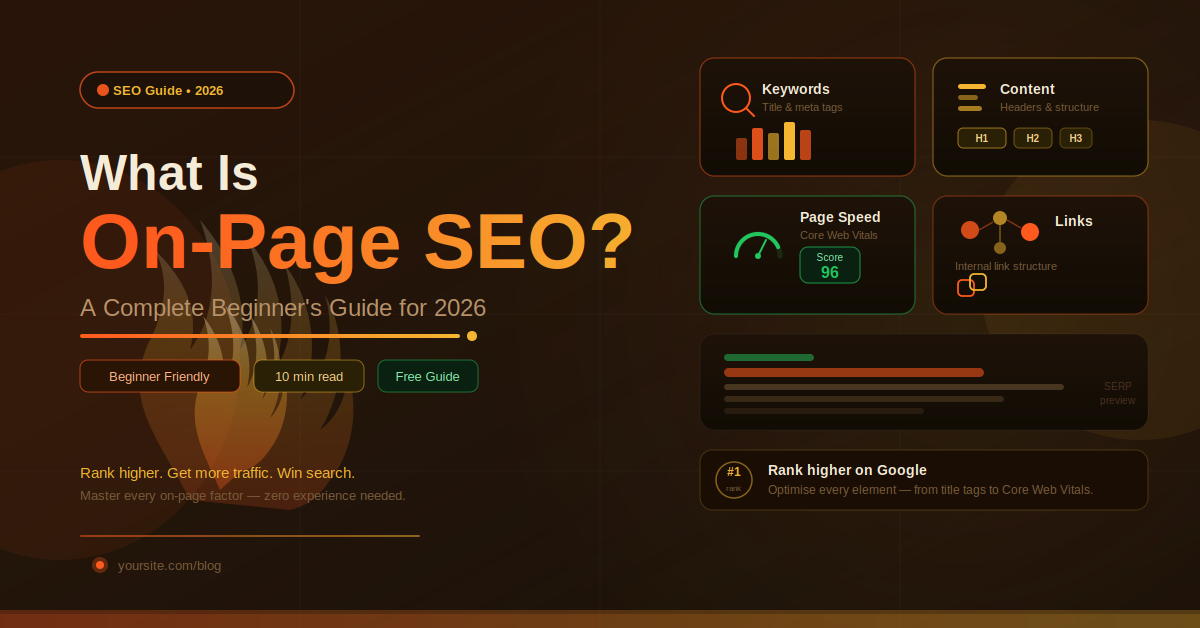

Understanding what on-page SEO actually means is the first step every beginner must take. It refers to all the optimizations you apply directly on your website — title tags, meta descriptions, headings, keywords, internal links, and page speed. Unlike off-page tactics, these are entirely within your control, letting you improve your rankings without waiting on backlinks or external signals
The core pillars of on-page SEO every beginner must understand in 2026
1. What Is On-Page SEO?
If you’ve ever wondered why some web pages show up at the top of Google while others are buried on page five, the answer almost always comes down to on-page SEO.
Also called on-site optimization it covers every improvement you make directly on your web pages to improve their rankings in search engine results pages (SERPs). Unlike off-page SEO, which involves things like backlinks and social signals that happen outside your website, on-page SEO is entirely within your control.
It involves everything from the words you write, to the structure of your HTML, to how fast your page loads. Think of it as making your page genuinely useful and technically clean — so both users and Google can understand exactly what it’s about and why it deserves to rank.
💡 Simple Definition: On-page SEO is the practice of optimizing individual web pages so search engines can better understand their content and rank them higher — while also improving the experience for real human visitors.
2. Why On-Page SEO Still Matters in 2026
With AI-powered search, voice queries, and algorithm updates rolling out almost every quarter, you might wonder if on-page SEO has become outdated. The honest answer? It’s more important than ever — just smarter.
Google’s Search algorithm has evolved to understand context, user intent, and content quality far better than it could five years ago. But it still fundamentally relies on the signals you put on your page — your headings, keywords, structure, and speed — to decide where to rank you.
By 2026, keyword stuffing will be out. Instead, on-page SEO will be about making sure pages truly help users, while also being super easy for Google to crawl and understand.
Pro Tip: Google’s Helpful Content System (rolled out in 2022 and refined since) rewards content written for people first. If your page helps a real visitor, it’s already halfway to good on-page SEO.
3. Keyword Research & Placement
Every piece of on-page SEO starts with understanding what your audience is actually searching for. That’s keyword research — and it’s the foundation everything else is built on.
You need to identify primary keywords (the main term the page targets), secondary keywords (related terms that support the topic), and LSI keywords (Latent Semantic Indexing terms — conceptually related phrases that help Google understand your topic’s context).
Where to Place Your Keywords
In your Page Title (H1)
Include your primary keyword naturally in the very first heading of your page.
Within the First 100 Words
Mention your main keyword early in the body copy so Google understands the topic from the start.
In Subheadings (H2, H3)
Use keyword variations and related phrases in your section headings throughout the article.
Naturally Throughout the Body
Write naturally. If your topic is well-covered, your keyword and related terms will appear organically without forced repetition.
In Image Alt Text
Describe your images accurately — and include relevant keywords where they fit naturally.
⚠️ Keyword Stuffing Is Dead: Repeating your keyword unnaturally just to hit a percentage will hurt your rankings, not help them. Google’s algorithm detects this and penalizes pages for it. Aim for natural, readable prose.
4. Title Tags & Meta Descriptions
Your title tag is the blue clickable headline that appears in Google’s search results. It’s one of the most powerful on-page SEO signals you have — Google uses it to understand what your page is about, and users use it to decide whether to click.
Title Tag Best Practices
- Keep it between 50–60 characters (Google truncates longer titles)
- Place your primary keyword near the beginning
- Write it for humans first — make it compelling, not robotic
- Each page requires an individual title tag
- Include your brand name at the end if space allows (e.g. “| BrandName”)
Meta Description Best Practices
The meta description doesn’t directly influence rankings, but it massively affects your click-through rate (CTR) — which does send quality signals to Google. Imagine it as an advertisement for your page.
- Aim for 150–160 characters
- Include your primary keyword (Google bolds matching terms)
- Insert a call to action like “Learn more” or “Sign up now.”
- Make it genuinely enticing — what will the user get from clicking?
5. Heading Tags (H1–H6): Structure That Helps Everyone
A heading tag is not just used for organizing things visually; rather, it tells Google how your website’s content is structured. Think of it as a sort of outline where H1 refers to the chapter title, while H2 refers to sections, and H3 to H6 to subsections.
| Tag | Role | Keyword Use | How Many per Page? |
|---|---|---|---|
| H1 | Main page title | Primary keyword | Exactly 1 |
| H2 | Major sections | Secondary keywords | Multiple (3–8) |
| H3 | Subsections | LSI / related terms | As needed |
| H4–H6 | Deep sub-points | Optional | As needed |
Remember: Your website should only contain one H1 tag per page. Having more than one H1 tag confuses the readers as well as the search engine about the topic of your page.
6. Content Quality & Depth
All the technical tweaks in the world won’t save a page with thin, unhelpful content. Google’s Helpful Content guidelines are clear: pages that exist primarily to rank — not to genuinely help people — will underperform.
Great on-page content in 2026 means writing that fully answers the user’s question, goes deeper than the competition, and is organized so the reader can easily find what they need. It also means demonstrating E-E-A-T: Experience, Expertise, Authoritativeness, and Trustworthiness.
What Makes Content “High Quality” for SEO?
- Thoroughly covers the topic — no important questions left unanswered
- Written in a clear, natural, conversational style humans enjoy reading
- Original insights, examples, or data not just copied from elsewhere
- Properly formatted with headings, lists, and visuals for scannability
- Kept up-to-date — outdated content loses rankings over time
- Demonstrates real expertise and first-hand experience on the topic
7. URL Structure
The URL for your website is also a on-page factor that Google looks at when it comes to indexing your site. Having an appropriate URL that contains your keyword tells both Google and potential visitors what they can expect.
- Shorten URLs when possible
- Dashes (-) instead of underscores (_)
- Make sure your URL contains your primary keyword
- Minimize usage of numbers and dates
- Maintain everything in lower case
8. Internal Linking Strategy
Internal links are hyperlinks that point from one page on your website to another page on the same website. They’re one of the most underrated on-page SEO tools available — and most beginners barely think about them.
A smart internal linking strategy does three powerful things: it helps Google crawl and index more of your site, it distributes link equity (PageRank) across your pages, and it helps users discover related content — reducing your bounce rate in the process.
🔗 Internal Link Example: A blog post about “on-page SEO” should internally link to related posts on keyword research, technical SEO, and content writing tips — building a topical cluster that signals authority to Google.
Best Practices for Internal Linking
- Utilize anchor texts that incorporate appropriate keywords
- Anchor back to your main “pillar” pages from several articles/posts
- Don’t overdo things — 3-5 relevant internal links per article/post are sufficient
- Ensure all your essential pages can be reached through no more than three clicks from the home page
- Perform periodic internal link audits using tools such as Ahrefs or SEMrush
9. Image Optimization
Images help in making your content more interesting – however, non-optimized images will significantly reduce the speed of your website and affect your SEO negatively. There are three primary aspects that make up on-page image SEO, including file format/compression, alternative text, and keyword-rich filenames.
- Make sure you’re using WebP all the time for maximum compression without losing quality
- You’ll always need to use descriptive alt tags; that helps not only with accessibility but also SEO
- Make sure to use keyword-rich file names at all times
- Include width and height to prevent CLS
- Lazy load images that are below-the-fold
10. Core Web Vitals & Page Speed
Core Web Vitals were introduced by Google as a ranking factor in 2021. The following are three indicators which will help you understand how your website’s user experience is:
Tool (free): You can check how good are your Core Web Vitals metrics using Google PageSpeed Insights tool.
11. Mobile-First Optimization
Google now uses mobile-first indexing for all websites — meaning it primarily uses the mobile version of your page to determine rankings, even for desktop searches. If your page isn’t great on a phone, your rankings will suffer regardless of how good the desktop experience is.
- Have a design that adjusts according to all screen sizes
- Ensure text is readable without zooming (minimum 16px font size)
- Buttons and tap targets should be at least 48px × 48px
- Avoid intrusive interstitials (pop-ups that block content on mobile)
- Test with Google’s Mobile-Friendly Test tool
12. Schema Markup (Structured Data)
Schema markup refers to a coding feature that allows Google to understand the contents on your page. This coding helps Google generate rich results , whereby content such as stars, FAQs, recipes, events, etc., appear within the search engine result page.
Although schema markup cannot influence rankings, it can significantly improve your ranking position because it makes your results visible and increases click-through rates. FAQPage schema and Article schema are the most crucial when it comes to blogs or guides such as this one.
13. Complete On-Page SEO Checklist for 2026
Before publishing your page or blog post, make sure to complete this checklist for on-page optimization:
🔑 Keyword Optimization
- Your primary keyword in the header tag
- Your keyword in the first 100 words
- Secondary keywords used in the H2 / H3 subheadings
- No keyword stuffing – no forced use of your keywords
🏷 Meta & Technical
- Title tag made up of unique and attractive phrases (50-60 characters)
- Meta description written and optimized (150-160 characters)
- URL slugs cleaned and clear
- Inclusion of canonical tag if needed
- Use of schema markups (Article, FAQ, etc.)
📝 Content & Structure
- Thorough discussion of the topic (more than 1,500 words if competing)
- Just one main H1 heading – proper use of H2 and H3 headings
- Formatted content (lists, tables, images where applicable)
- 3-5 internal links to other pages of your website; descriptive anchor text
- Minimum of 1-2 links to authoritative external websites
🖼 Images & Speed
- Alt text used for all your images
- Optimization of your images (compressing; WebP images)
- Meet all Core Web Vitals criteria (LCP <2.5 seconds, CLS <0.1)
- Responsive design for all screen sizes – especially mobile
- Images are lazily loaded