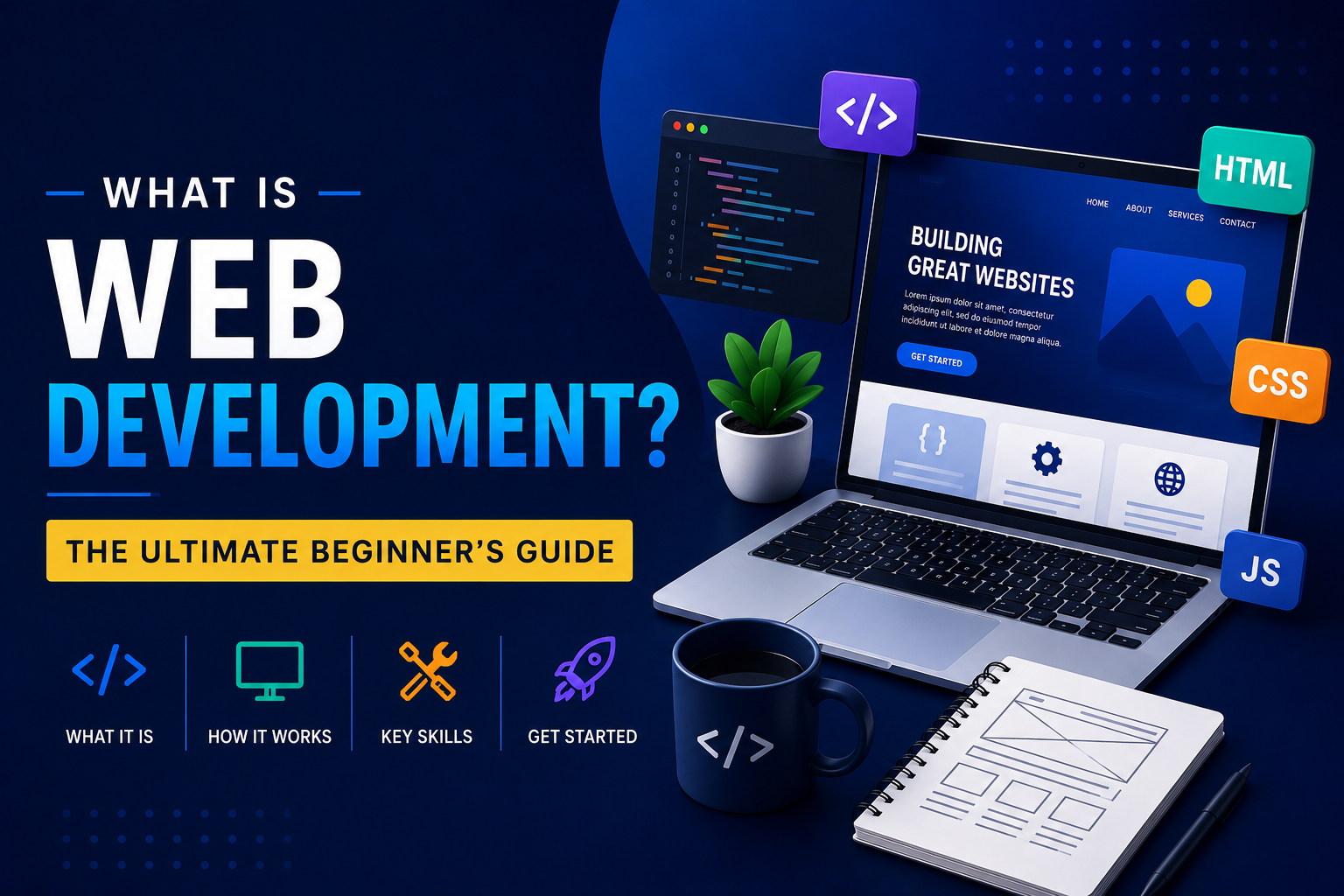

What Is Web Development?
A no-bullshit guide on how websites are made – the programming languages used, the various roles involved, the process itself, and how to begin learning even if you’ve never programmed a day in your life.
Start reading ↓If you’ve ever asked yourself how a website comes to exist – from entering the URL of the website to when the site’s pages appear on your browser screen – then you have been pondering about web development. Web development is one of the most in-demand, versatile, and approachable jobs that you can do in technology right now, even without a Computer Science degree. Here’s a guide on all of that: What web development actually is, how the web really works, the roles of web developers, the programming languages and tools used, real salary and career statistics, and how to get started learning.
What Is Web Development?
The creation and maintenance of websites and web applications is what web development involves. It includes everything which is done to create the website or application that you can use on your web browser and see on your computer screen. The layout, buttons, input boxes, and the hidden database where the information will be stored as soon as you click “Submit” – all of these are examples of web development work.
An analogy that will give you a better idea: web design is the blueprint and interior decoration of a house and web development is the process of construction of the house. Developer gets the design and builds an actual working website using the provided instructions.
Every web page or application consists of three basic components. In order to understand these components, you can use the interactive panel below and see for yourself how they build one another:
- Structure — content and structure hierarchy of a website, created with HTML
- Style — visuals and colors of a website, created with CSS
- Behavior — interactivity, such as drop-down menus and live searches, created with JavaScript
Together, these three layers power everything from a one-page personal portfolio to a full-scale platform like an online bank or a global marketplace. It’s also worth distinguishing between static websites, which show the same content to every visitor (like a simple brochure site), and dynamic websites, which generate content on the fly based on user input, logins, or database records — think of a social feed that’s different for every user who visits it.
How Does a Website Actually Work?
Before we get into roles and languages, it helps to know what really happens in the few hundred milliseconds between typing a web address and seeing a page appear. It’s a chain of events that’s surprisingly elegant:
You type a URL
Your browser has to translate that human readable address (like example.com) into a machine readable location.
DNS lookup
The Domain Name System is the phone directory of the internet, changing the domain name into an IP address which identifies the server.
The browser sends a request
Your browser sends an HTTP or HTTPS request to that server, essentially asking, “Can I have this page, please?”
The server responds
The server — often running back-end code — processes the request, may query a database, and sends back HTML, CSS, and JavaScript files.
The browser renders the page
Your browser reads those files line by line, builds the page’s structure and style, runs any JavaScript, and paints the final result on your screen.
This entire round trip usually takes well under a second. Front-end developers are primarily responsible for what happens in that last step; back-end developers are responsible for everything that happens on the server before the response is even sent.
The Three Main Types of Web Development
Most website developments can be placed in any of the following three types. Understanding the difference is the first real step toward figuring out which path fits you best.
1. Front-End Development
Front-end developers build everything a user sees and interacts with directly — the “client side” of a website. This includes layout, typography, images, buttons, and animations. Front-end developers rely heavily on HTML, CSS, and JavaScript, along with modern frameworks like React, Vue, or Angular, to build fast, responsive interfaces that work well on any screen size.
2. Back-End Development
Back-end programmers are the type of developers that do their work behind the curtains. They create the server, database, and application logics of the websites that the user sees but does not know about because he or she uses them at all times. Whenever the user provides username and password, or makes a purchase on the site, it is back-end programming that is responsible for verifying, processing, and storing the information in your purchase order. Back-end programming languages include Python, PHP, Ruby, Java, and Node.js.
3. Full-Stack Development
Full stack developers feel equally at home developing both the front end and the back end. They have knowledge of all layers of the web application – from its user interface to its database – making them particularly useful to startup companies where one person might wear many hats.
| Role | Focus | Common languages | Typical output |
|---|---|---|---|
| Front-End | User interface & experience | HTML, CSS, JavaScript, React | What you see & click |
| Back-End | Servers, logic, data | Python, PHP, Node.js, Java | What powers the site |
| Full-Stack | Both ends of the stack | Combination of the above | End-to-end applications |
Core Web Development Technologies
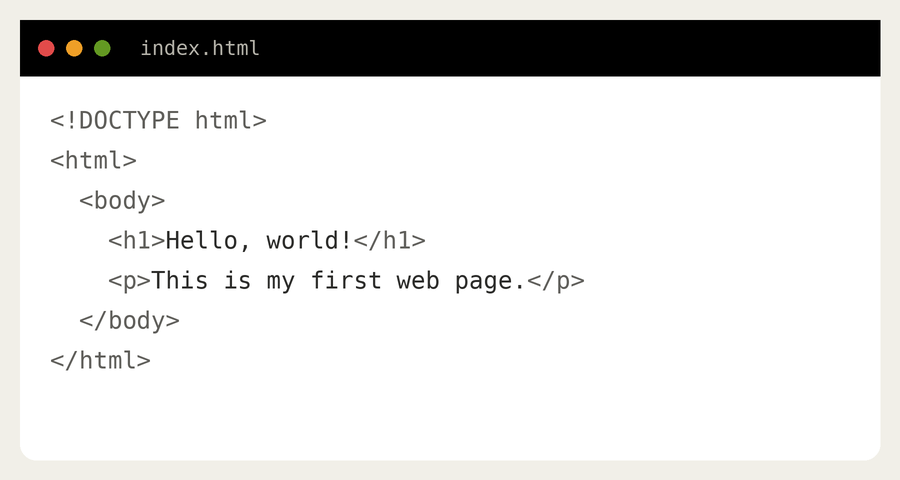
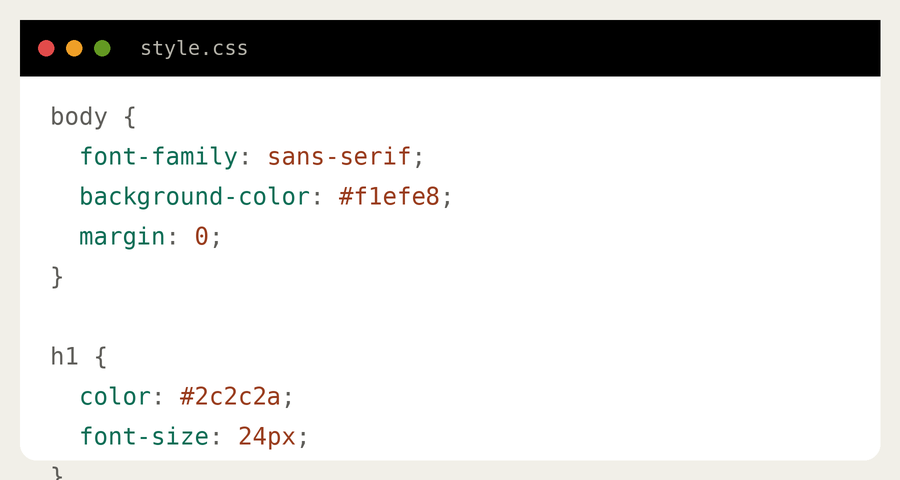
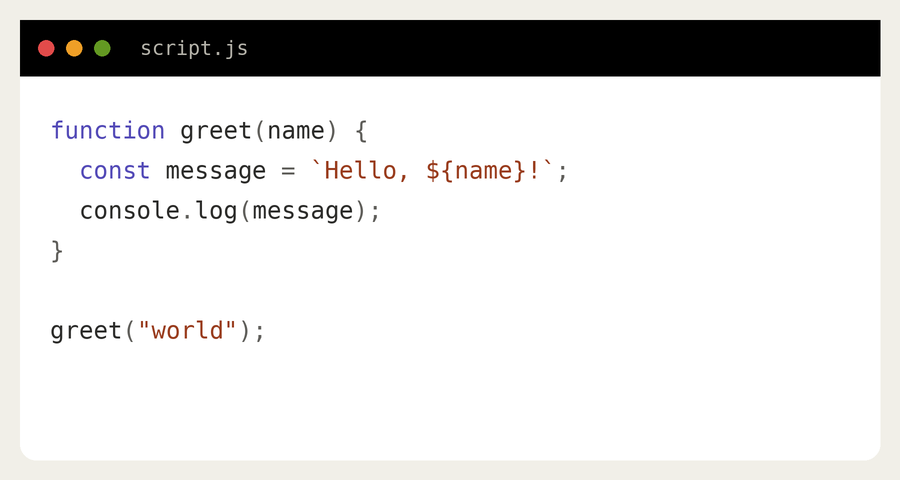
Web development appears to be daunting because there are a lot of different tools and languages that you may use. Here is the basic list of things to start with, along with some examples of code showing the look of each level.
HTML — Structure
HyperText Markup Language (HTML) is what all webpages consist of. It contains tags defining the page’s headers, paragraphs, links and images.
CSS — Style
CSS (Cascading Style Sheets) provides control over colors, font, layout etc. It allows you to add style to an otherwise dull structure of your website.
JavaScript — Behavior
JavaScript is the only language that is natively supported by all browsers and thus becomes indispensable for adding interactivity to your website, such as drop-down menus and live form validation.
Frameworks & Libraries
Now that you know the basics, you will find that frameworks make your job faster and more consistent:
- React, Vue, and Angular for front-end interfaces
- Node.js, Django, and Ruby on Rails for back-end systems
- Tailwind CSS and Bootstrap for fast and efficient styling
Databases & APIs
Most apps need to be able to store information and get it out again – such as user accounts, blog posts, or orders. This is where databases are useful – relational databases use MySQL and PostgreSQL, and NoSQL databases use MongoDB.
The website will often interface with other servers via APIs (Application Programming Interfaces). For instance, a weather widget retrieving weather data from a weather server or an ordering page that interfaces with a payment system such as Stripe would involve APIs. Calling and making API connections are core skills in backend and full stack development.
Version Control
Git and GitHubare crucial pieces of software to track changes in code and collaborate with other programmers without overwriting each other. You may take a look at some open source projects straight from GitHub.
The Web Development Process, Step by Step
A website creation process is much more complicated than coding because it goes through several stages from an idea to launch and not following them (in particular, ignoring testing) is one of the mistakes made by beginners.
Planning
Determining what website is needed, who will be its visitors, and what features it should have before starting designing.
Design & wireframing
Drawing sketches to help understand the site architecture before programming begins.
Front-end development
Writing code for the designs that have been approved to create an interactive website with HTML, CSS, and JavaScript.
Back-end development
Writing the code for the back-end of the website which includes the database and the APIs.
Testing
Checking whether there are any bugs, dead links, slow speed, and other such issues.
Deployment
Deploying the website onto the Internet.
Maintenance
Upgrading and maintaining the website after it goes live.
Skills You Need to Become a Web Developer
Technical skills provide the base, but the programmers that advance most quickly use another type of skills that have just the same importance.
Technical skills
- HTML, CSS, and JavaScript proficiency
- Responsive, mobile first design awareness
- Version control awareness (Git)
- Basics of SEO and web accessibility
- Work with API and JSON data
Soft skills
- Problem solving, logic
- Attention to details
- Patience – debugging is the daily task for programmers
- Communication with designers, clients, or teammates
- True desire to learn more, as this field changes all the time
Tools of the Trade
The kit of a web developer in today’s age can be pretty much expected to have this format:
- Code editors — like Visual Studio Code where all the coding happens
- Web Developer Tools in a web browser — such as Chrome, Firefox, or Microsoft Edge where they debug the website
- Package managers — such as npm where different packages and frameworks are installed
- Design handoff tools — like Figma that web developers use to design with
- Hosting & deployment platforms — Netlify, Vercel, or AWS for hosting websites on the live internet
Web Development Career Outlook & Salary
Web development continues to be among the most stable jobs with decent pay in the technology field. Employment of web developers is expected to increase faster than the average for all occupations from 2024 to 2034, thanks to the continued expansion of e-commerce and responsive websites and digital services.
Pay varies widely by specialization, location, and experience — back-end and full-stack specialists with cloud or security skills often sit at the higher end of the range. You can check current, region-specific salary data directly through the BLS Occupational Outlook Handbook.
How to Start Learning Web Development (Even With Zero Experience)
A bachelor’s degree isn’t required to enter into web development. Here is an achievable pathway that beginners could take:
- Beginners should start by learning HTML and CSS.They are beginner friendly and will allow you to see something visually pleasing right away.
- Next comes JavaScript. After mastering structure and styling of a website, learning JavaScript will allow you to learn to add interactivity to your websites.
- Do some project work. It’s not enough to simply go through tutorials without creating any projects; create a website landing page, to-do list app or even a replica of a website to test your skills.
- Introduction to version control with Git and Github. This tool is very important for developers because every employer requires this skill.
- Choose a stack. Deciding whether front-end, back-end, or full-stack development appeals to you and then dive deep into it.
- Build up your portfolio. A couple of projects are much better for job applications than any certificates.
- Apply and learn. Apply for internships, freelance and junior positions while learning.
Free resources like MDN Web Docs are excellent starting points that won’t cost you anything, and the W3C publishes the official standards that govern how the web itself works.
Common Myths About Web Development
Before you dive in, it’s worth clearing up a few misconceptions that stop many beginners from getting started.
Most day-to-day web development leans on logic and pattern recognition far more than advanced math. Basic reasoning takes you further than calculus for typical website work.
Experienced developers constantly look things up. Knowing how to find and apply documentation matters more than memorizing syntax.
Web development welcomes career changers of every age. Employers often care more about demonstrated skill than a traditional timeline.
AI code generators will help humans complete repetitive processes faster, but they require human understanding to understand the requirements and make actual decisions.
The Future of Web Development
Web development keeps changing rapidly. Some emerging trends are determining the future direction of this industry:
- AI-powered code writing — technologies designed to enhance developer productivity without substituting the developers
- Use of TypeScript — more businesses using TypeScript due to its increased reliability compared to vanilla JavaScript
- Web performance & accessibility — high importance of website speed and accessibility by both search engines and users
- Serverless & edge computing — simplification of server management
Keeping up with these changes — even as a newbie in web development — will help you develop good habits for long-term success in this industry.
Quick Glossary for Beginners
- API
- A collection of protocols which allows two programs to exchange information with each other.
- DOM
- HTML code of a webpage as displayed in the browser.
- Framework
- A readymade library which fastens software development process.
- Repository
- A codebase maintained by a developer version control system (generally Git) hosted on GitHub.
- Responsive design
- Website layouts which fit all screens.
- Server
- An external computer used to store files of a website.
- Deployment
- Process of making a fully functional website available publicly.
- Version control
- This is a system for merging changes to code.
Frequently Asked Questions
Is web development difficult to learn?
There is a learning curve involved, but it is easier to learn compared to many other technology skills. HTML and CSS are easy to learn and most individuals can develop a simple website after a few weeks of regular practice.
How long does it take to become a web developer?
The majority of beginners will be able to learn the basics and be ready to apply for junior positions after six to twelve months of dedicated study and practice whether in the form of self-study, online course material or even coding bootcamps.
Do I have to go to college to become a web developer?
No. Although it may help, it is possible to become a web developer without any college education whatsoever since many web developers never graduated from college and became successful in their careers.
What’s the difference between web development and web design?
Web design refers to making your website visually appealing and arranging everything in a proper way. Web development is about creating an actual website using the programming language and making the design work.
Which programming language should I start with?
First I have to learn HTML and CSS for structuring and designing the webpage and after that I can learn JavaScript because it is the core of web programming.
Can someone become a web programmer for free?
Absolutely. There are many free platforms, such as MDN Web Docs, W3C school, freeCodeCamp, and hundreds of well-written tutorials that provide a full curriculum and help become a developer for free.
Will it be profitable to become a web developer in 2026?
Sure, because there will be a high demand for web developers due to constant growth of e-commerce, mobile applications, and digitalization in every business field.
Final Thoughts
Web development is one of the few careers where you can genuinely teach yourself the skills needed to land a job, freelance on your own terms, or build something entirely your own from scratch. Whether you’re drawn to the visual creativity of front-end work, the logical problem-solving of back-end systems, or the versatility of full-stack development, there’s a real path in this field for almost every kind of thinker.
The best way to start isn’t to wait until you feel “ready” — it’s to open a code editor, write your first line of HTML, and build from there.