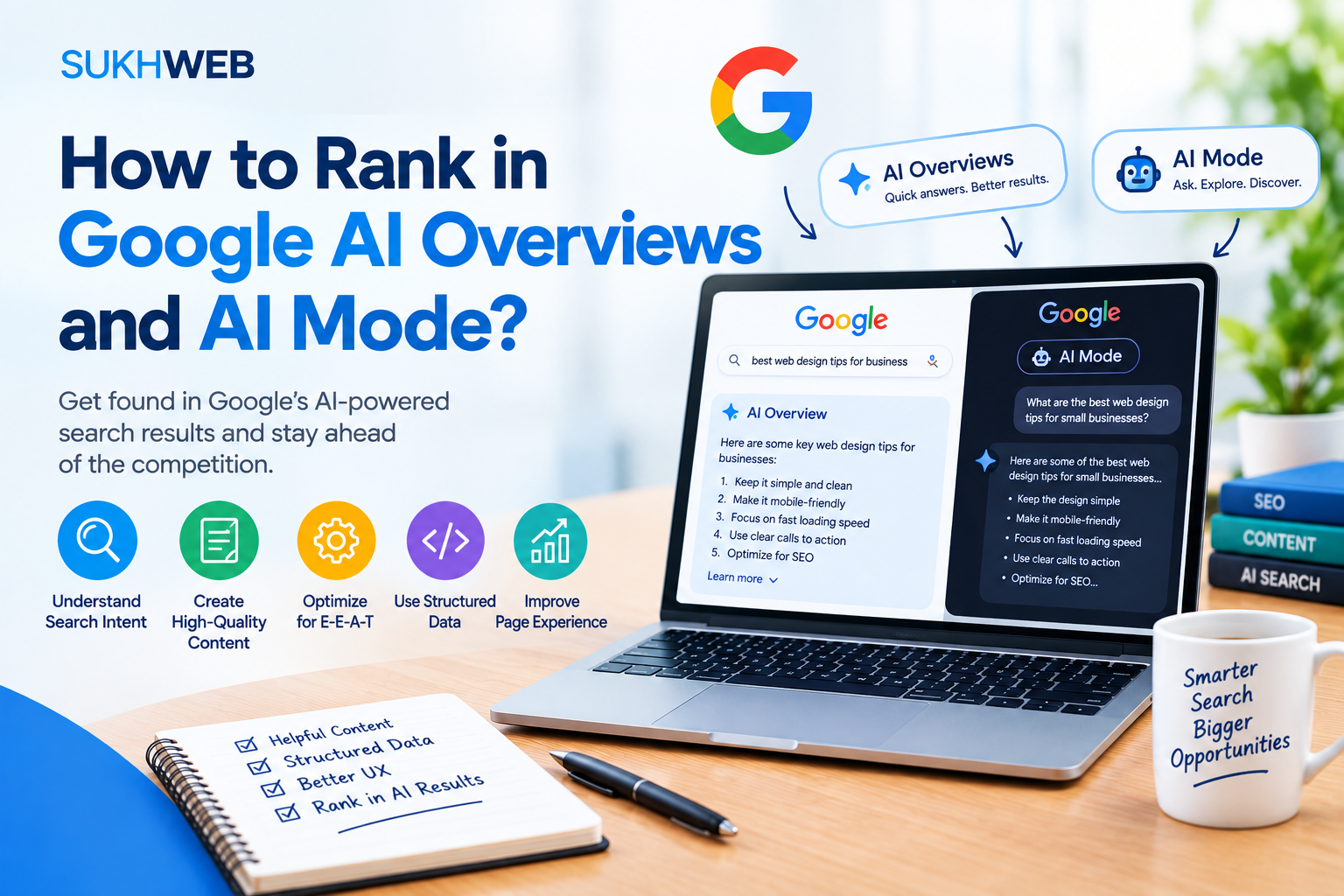

Eight practical steps to get your pages cited when Google answers the question before anyone clicks.
A few years ago, ranking meant fighting for ten blue links. Today, a growing share of searches ends with a written answer at the top of the page, and the pages Google trusts enough to cite inside that answer get a very different kind of visibility. If you publish content for a living, learning how to rank in Google AI Overviews and AI Mode is no longer optional homework. It is part of ordinary SEO.
The good news is that you do not need a secret trick. Google says the same foundations that help you in classic search apply to its AI features. The less comfortable news is that those foundations now get judged more strictly, because a model has to extract, trust, and quote your page in a few seconds. This guide walks through what is actually happening behind the scenes and the eight steps we use to make pages citation-ready.
What an AI Overview is and What AI Mode Is
AI Overviews are short, generated summaries that appear above the regular results for certain queries. They pull together information from several pages and show links alongside the summary, so a reader can jump to the source.
AI Mode is a different kind of experience from an overview, embedded in Google Search. Instead of a single query and a single answer, people ask longer questions, follow up, and refine. It leans toward research-style tasks: comparing products, planning a trip, working through a decision. Google describes both features in its official documentation on AI features and your website, and that page is worth bookmarking because Google updates it as the products change.
For a publisher, the key difference lies here. When creating an AI Overview, you have to try to become one of the very few sources cited when answering a particular question. When participating in the AI Mode game, you compete through an entire sequence of related questions.
How Google Picks Pages When You Rank in Google AI Overviews
Google has said that AI Mode and AI Overviews can use a technique often called query fan-out. The system takes the question, breaks it into related sub-questions, runs several searches at once, and assembles an answer from what it finds. That means the page that wins a citation is not always the page ranking first for the exact phrase the user typed. It may be the page that cleanly answers one of the hidden sub-questions.
Three ideas follow from that:
- Ranking and citation are linked but not identical. Pages that already perform well in organic search are strong candidates, yet a well-structured page from a smaller site can still be selected for a narrow sub-question.
- Extractability matters. A model needs a clear passage it can lift without distorting the meaning.
- Trust is a filter. Thin, copied, or unsourced pages are easy to skip when there are plenty of better options.
If you want the broader background on how search systems weigh content quality, our guide to E-E-A-Tcovers the signals in more depth. Now to the steps.
Step 1: Confirm your pages are eligible
This sounds boring, and it is the step most people skip. According to Google, a page needs to be indexed and eligible to show with a snippet in order to appear as a supporting link in AI features. No extra technical requirement exists beyond that.
Run through this short audit:
- Open Google Search Console and use the URL Inspection tool on your key pages. Make sure they are indexed.
- Check that nothing in your robots.txt blocks Googlebot from important sections.
- Look for
noindexor restrictivenosnippetandmax-snippetdirectives. If you tell Google not to show your text, it cannot quote you. - Make sure the important content is in the HTML that loads, not hidden behind a login, a pop-up, or content that never renders.
- Keep canonical tags consistent so signals are not split across duplicate URLs.
You can verify all of this for free in Google Search Console. If you want a deeper checklist, see our technical SEO checklist.
Step 2: Write answer-first, then add depth
AI systems reward pages that make the answer easy to find. Journalists call this the inverted pyramid, and it works here for the same reason: the most useful sentence comes first.
Lead each section with a direct answer
Under every question-style heading, write a two or three sentence answer that makes sense on its own. Then expand with detail, examples, and caveats. A reader who stops after the first paragraph should still leave with something correct. A model should be able to quote that paragraph without needing the rest of the page for context.
Use headings that match real questions
Instead of a clever title like “The Secret Sauce,” write “How long does it take to rank a new page?” Clear headings make scanning easy and can be directly correlated with the sub-questions created by fan-out. Keep one idea per section and avoid burying the point under a long introduction.
Be specific and verifiable
Vague claims are hard to cite. Compare “SEO takes a while” with “most new pages need several weeks to be crawled, indexed, and tested in results, and competitive terms often take months.” The second statement gives a model something concrete, and it gives the reader something they can act on. When you state a fact, say where it comes from and link to the source.
Use formats that extract well
Short lists, numbered steps, and compact comparison tables are easy to parse. Use them when the content really is a list or a comparison, not to chop ordinary reasoning into fragments. A good rule: if you would write it as a list in a notebook, use a list. If it is an argument, write it as prose.
Write the page you would want to find if you were the one asking the question, then make the answer easy to spot.
Step 3: Show real experience, expertise, and trust
Google’s guidance on creating helpful, reliable, people-first content asks creators to think about experience, expertise, authoritativeness, and trustworthiness. For AI features, this is the layer that separates a citable page from a generic one, because summaries of generic information are exactly what a model can already produce without you.
What a model cannot invent is first-hand evidence. Add it deliberately:
- Original data. Run a small survey, publish your own test results, or share numbers from your own campaigns. Even a modest dataset gives people a reason to cite you.
- Real photos and screenshots. Produce your own dashboards or results instead of just using stock photos.
- Named authors with credentials. Add a byline, a short bio, and a link to a profile that shows relevant work. Readers and quality systems both want to know who is speaking.
- Clear sourcing and dates. Cite primary sources, state when the article was last reviewed, and update it when facts change.
- Honest limits. Say what you tried, what failed, and where your advice does not apply. This builds trust faster than confident claims do.
Be especially careful in health, money, and legal topics, where Google applies a higher bar. If you work in those areas, have a qualified person review the content and say so on the page.
Step 4: Cover the whole topic, not just the keyword
Because AI Mode fans out into related searches, narrow pages lose ground to pages that anticipate the next question. Build topical depth in two layers.
Inside the page
List the questions a curious reader would ask next and answer them. For this very article, that meant covering eligibility, writing style, technical setup, and measurement, not just “what is an AI Overview.” Tools like the People Also Ask box, your own site search data, and sales or support emails are rich sources of real wording.
Across the site
Create a hub page for the main subject and connect it to detailed supporting articles. Link between them with descriptive anchor text so both users and crawlers understand how the pieces relate. If you are starting from scratch, our topic cluster strategy guide shows how to plan one, and our walkthrough on keyword research helps you find the questions worth answering.
Keep each page focused. A hub that tries to cover everything in one thousand words will lose to a set of clear, specific pages that work together.
Step 5: Fix technical and structured data
Technical SEO will not make weak content win, but it can stop strong content from being understood. Focus on four areas.
Crawlability and speed
Fast, stable pages are easier to crawl and better for readers. Check your Core Web Vitals, which Google explains on web.dev, and fix the largest problems first: heavy images, render-blocking scripts, and layout shifts.
Clean page structure
Use one H1, logical H2 and H3 headings, descriptive title tags, and meta descriptions that match the page. Put the main text in real HTML elements so it is visible to crawlers.
Structured data that matches the page
Schema Markup helps Google understand the theme of the webpage. Google states that you do not need special schema to appear in AI Overviews or AI Mode, but accurate markup for articles, authors, organizations, products, and reviews still supports clear understanding. Read the basics in Google’s introduction to structured data and browse the vocabulary at Schema.org. The golden rule: markup must reflect content that is visible on the page. Never mark up things readers cannot see.
Preview controls
If you use nosnippet or a very small max-snippet value on pages you want cited, review that decision. Those controls limit how much of your content Google can show, and they apply to AI features as well.
Step 6: Support text with useful media
AI Mode handles text, images, and more, and people increasingly search with photos and voice. Strengthen your pages with media that actually teaches something:
- Add original diagrams, annotated screenshots, and short videos that explain a step better than words can.
- Write descriptive file names and alt text that say what the image shows, in plain language.
- Add captions where they help, since people read captions even when they skim.
- The Google My Business pages should include correct hours, pictures, categories, and reviews.
- For products, ensure consistency in your feed and on-page information (price, availability, specs).
Media should be integral to the answer, not just a decorative element. It’s more likely that you will gain credibility with a chart illustrating your point than with a generic image.
Step 7: Build brand signals outside your own site
Models and quality systems receive information about a brand from the internet at large, and not just from that brand’s website. Concentrate on gaining good reputation and credibility in your specialty area:
- Get referenced by respected media outlets, organizations, and blogs in your field through research and valuable software or other content.
- Engage in conversations in the communities where your clients go looking for information, including forums, professional networking sites, and video sharing sites.
- Keep your brand name, author names, and descriptions consistent across your site, social profiles, and directories.
- Collect honest customer reviews on the platforms relevant to your industry.
None of this is a shortcut. It is the slow work of becoming a source people already rely on, and it compounds.
Step 8: Measure, test, and keep improving
Measurement is the awkward part. Google has said that traffic from AI features is counted in Search Console’s Performance report under the Web search type, so it is blended with regular results rather than reported separately. That means you need to read signals together instead of looking for one clean number.
What to track
- Impressions and clicks for your target queries, watching for pages where impressions rise while clicks fall. That pattern can mean your page is being surfaced but answered in the summary.
- Manual checks. Search your priority questions in both AI Overviews and AI Mode on a regular schedule and record whether you are cited, who else is, and what the answer says. Log the date, because results change.
- Engagement quality. Clicks that do arrive from AI features often come from people who want more detail, so watch time on page, conversions, and return visits, not just sessions.
- Brand search. A rise in searches for your name after you start appearing in answers is a useful sign.
How to iterate
Pick ten pages, update them with the steps above, and annotate the change date in your analytics. Review after four to eight weeks. Keep what moves the numbers, drop what does not, and repeat. A small, disciplined experiment teaches you more than a site-wide rewrite you cannot evaluate.
Common mistakes to avoid
- Chasing tricks. Hidden text, prompt-style stuffing, and fake “AI optimization” markup do not work and can trigger spam policies.
- Publishing generic AI-written filler. If your page only restates what everyone else says, there is no reason to cite it. Use AI as an assistant, but add your own evidence, voice, and review.
- Not updating. Old data and bad links cause distrust. Review key pages on a schedule.
- Writing for machines only. Pages that read awkwardly lose human readers, and human engagement still matters.
- Blocking the content you want quoted. Over-restrictive snippet settings are an easy mistake to make and to fix.
Your AI Overviews and AI Mode checklist
- Key pages are indexed, snippet-eligible, and free of accidental blocks
- Every section opens with a clear, self-contained answer
- Headings reflect real questions your audience asks
- Authors, dates, and sources are visible on the page
- Original data, photos, or examples appear in each major article
- Related questions are covered on the page and across a connected cluster
- Core Web Vitals pass, and structured data matches visible content
- Images and video add real explanatory value
- Your brand is mentioned and linked from credible third-party sources
- You review citations and Search Console trends on a regular schedule
Frequently asked questions
Can I opt in to AI Overviews or AI Mode?
There is no separate opt-in. If your page is indexed and eligible to show a snippet, it can be considered as a supporting link. You can limit what Google shows using preview controls such as nosnippet.
Do I need special schema markup?
No. According to Google, no markup is needed at all. Accurate structured data still helps Google understand your content, so use it where it fits, and make sure it matches what visitors can see.
Will ranking first in organic results guarantee a citation?
Not at all. High-quality organic ranking is a bonus, but AI technology can pick up sources even if they have low ranks for the keyword but provide information for the sub-question. Good answers increase your chances.
Is it worth creating content if people click less?
Yes, if you have real expectations. Being cited builds visibility and brand recall, and visitors who do click tend to want depth. Pair informational content with tools, data, and products that a summary cannot replace.
How long until I see results?
Plan on several weeks for crawling and re-evaluation, and longer for authority-driven gains. Track a fixed set of queries so you can compare before and after.